
Kuaiyatu — Android photo compressor
Batch-compress phone photos to shrink file size while keeping as much clarity as possible.
Batch-compress phone photos to shrink file size while keeping as much clarity as possible.
Key features
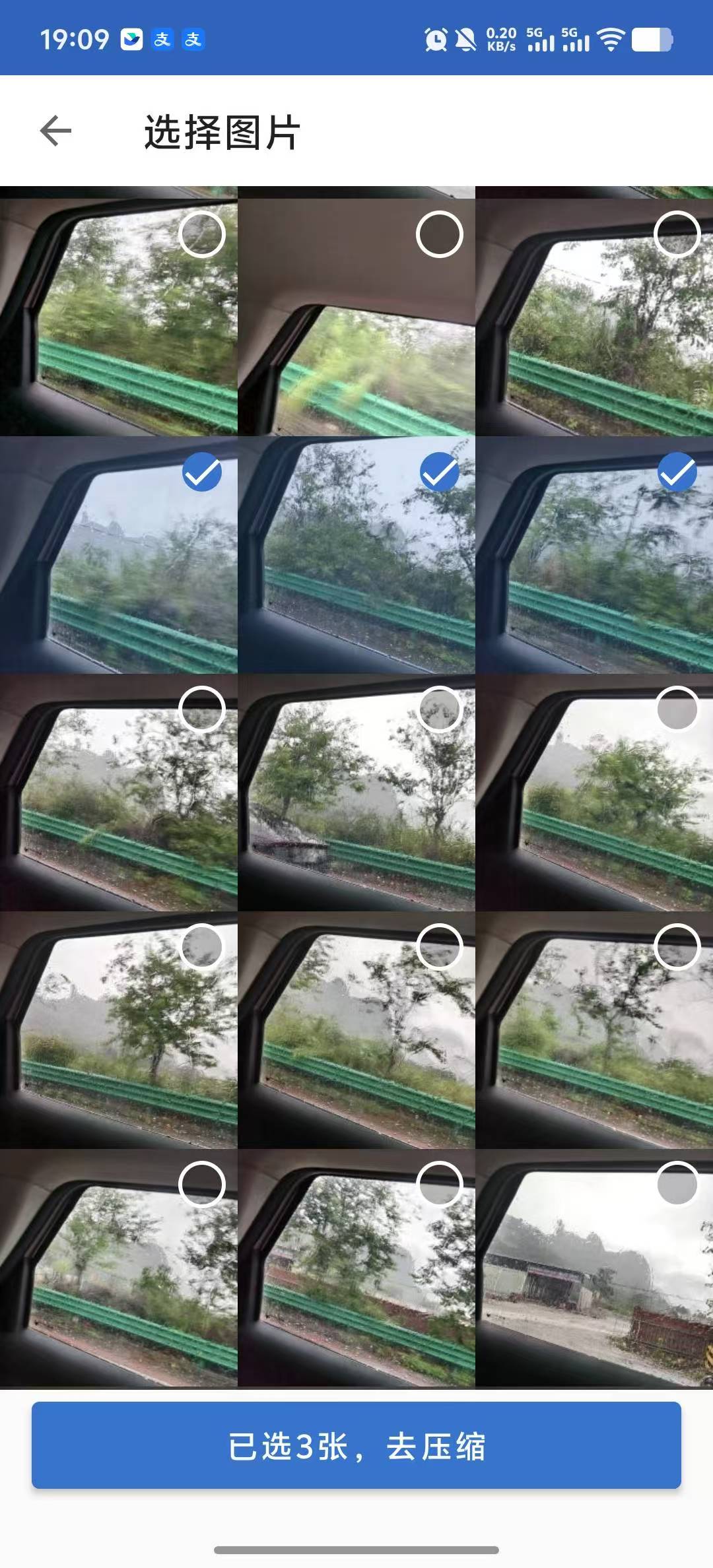
Select many phone photos and process them in one go instead of one by one — perfect for tidying your album and compressing large batches.
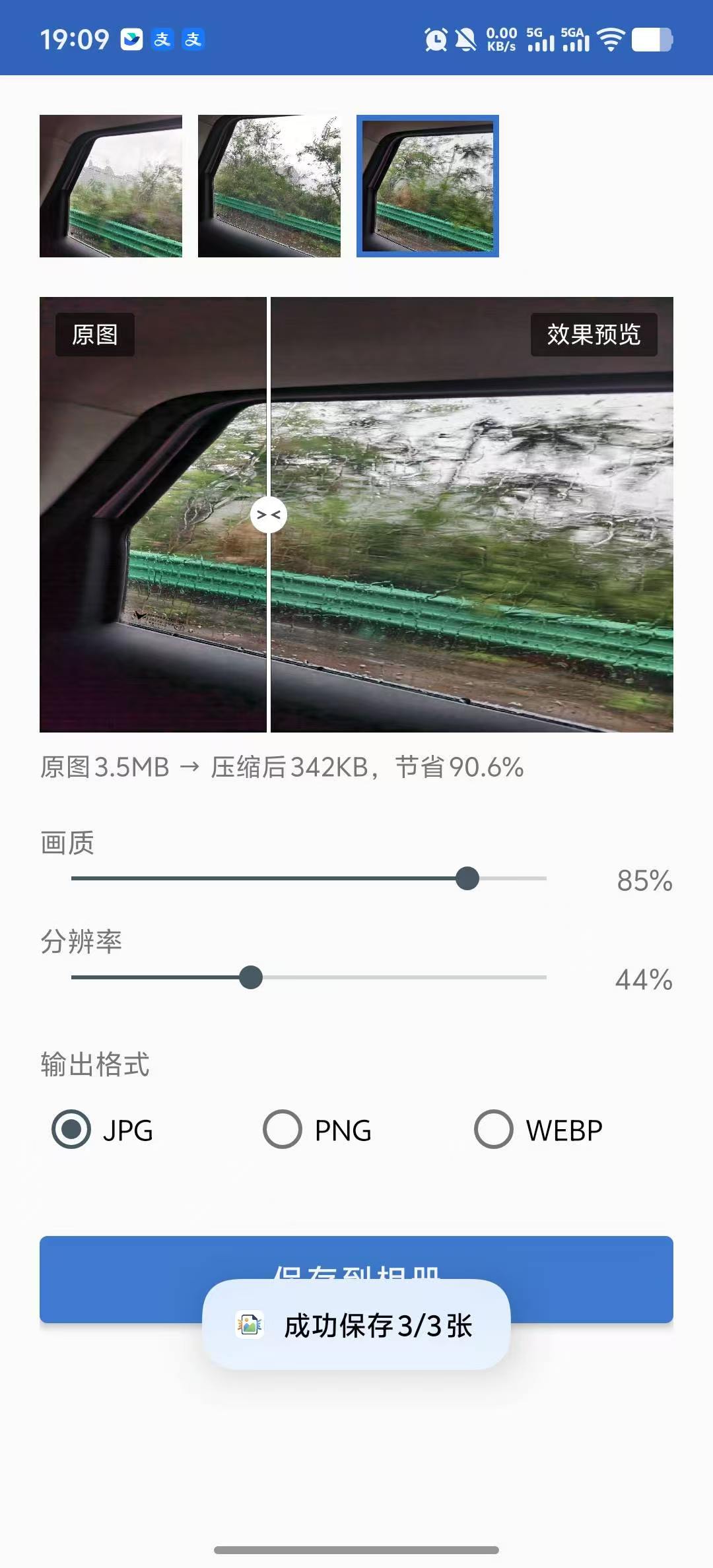
Shrink photo size to free up phone storage and make large images easier to send via chat or email and to upload.
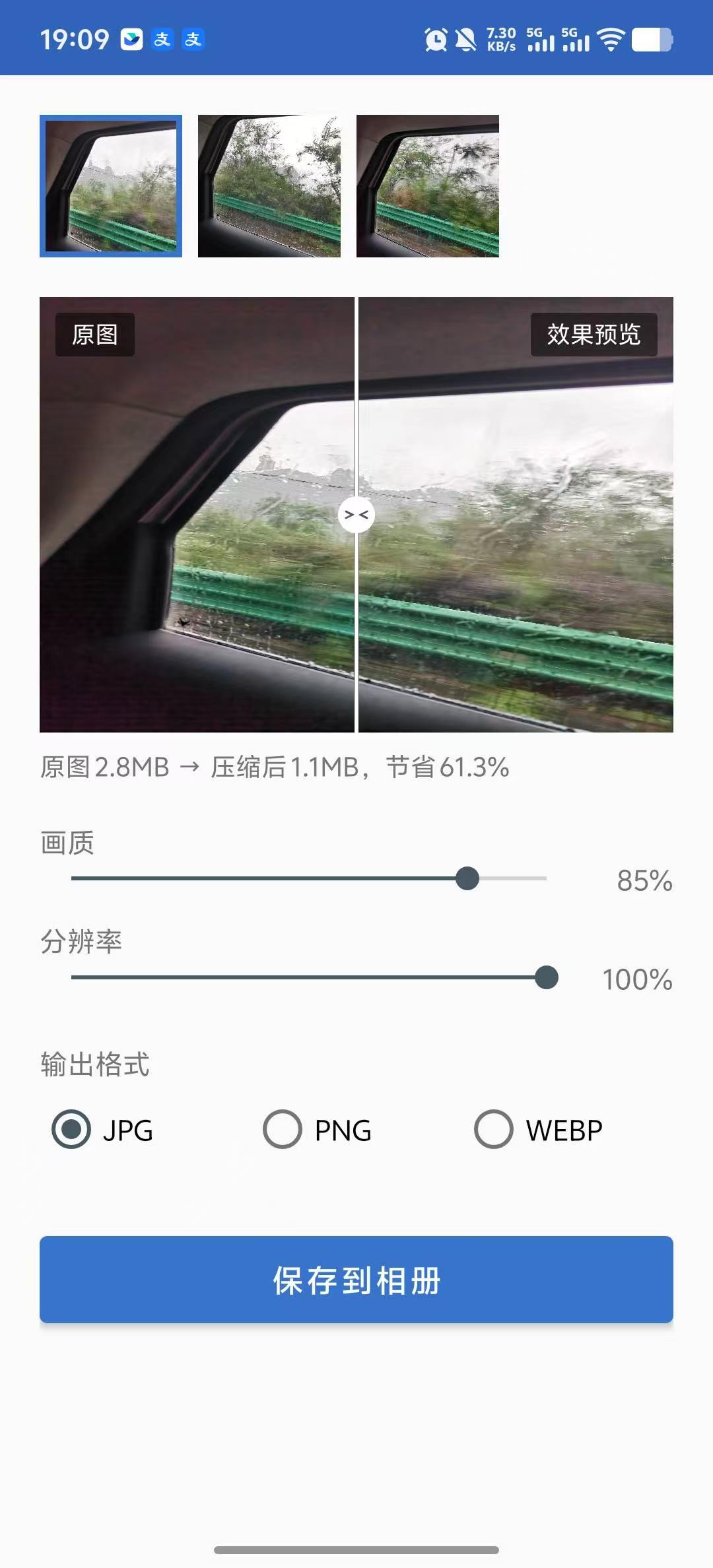
Choose between clarity and file size, keeping acceptable quality for different use cases.
Use cases
As album photos take more and more space, use Kuaiyatu to batch-shrink them and reclaim storage.
Chat, email, and websites cap image size — compress first so the send or upload doesn't fail because the file is too big.
Screenshots
Real app screenshots.
How it works
In Kuaiyatu, select one or more phone photos you want to compress.
Pick the compression level you need, balancing clarity against file size.
When it finishes, save the compressed images or share them straight to chat or an upload.
Yes. Kuaiyatu lets you select multiple phone photos at once and compress them in a batch, which is handy when you need to process many images in one go.
Compression keeps as much clarity as possible; the result depends on the compression mode you choose and the original image. We recommend keeping the originals before compressing important photos.
It supports common phone image formats including JPEG, WEBP, and PNG. Exact support depends on the current version.
Photo compression runs locally on your phone. The app declares network permissions and includes an analytics SDK used to improve the product experience; see the privacy policy for details.
Kuaiyatu supports Android 8.0 and above.
After downloading the APK, open it from your phone's file manager to install. The first install may require allowing unknown apps; see the install help on the download page.
Official APK, works on Android 8.0 and above.